



New App Feature: Expanded JPM, Streak, and Heart Rate Data

We're excited to release iOS version 6.6.1, packed with new exciting stats and fresh visuals to help you better analyze your performance and get more out of every workout.
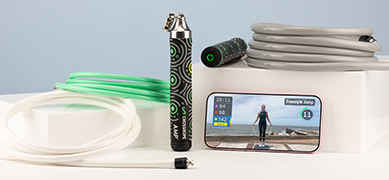
For AMP users, after each Free Jump, you'll be able to now see a graph of how your JPM (jumps per minute) trends over time, so you can see how you've sped up or slowed down throughout the jump session.

Also for AMP users after your Free Jumps, there's a brand-new table showing your streaks. See how long you jumped for, how many jumps you did, the average and max JPM per streak, and how many trips you had. At the top, there's a new timeline showing when you were jumping compared to when you took breaks throughout the jump session.

If you're using an Apple Watch or have a Bluetooth Heart Rate Monitor paired, you can now see a line graph of how your heart rate trends over time. The line graph has your heart rate zones shown on it, so you can see how your heart rate varies throughout the workout to help you better understand your exertion. This is available for all workout modes, including Workouts, Free Jump, Custom Workouts, Benchmarks, and Classes. Plus, if you're synced with Strava, the detailed heart rate information is sent to Strava, so you can see your heart rate graph there as well.

Don't have AMP yet, get it here to take advantage of the new JPM and Streaks features!
We're excited to help you get even more value out of your workouts. Please reach out to [email protected] with any feedback!
Related Articles


